QR codes have become a daily part of modern life, but so has quishing. Quishing is short for QR phishing: the practice of embedding malicious or deceptive URLs inside QR codes.
Attackers use this method to bypass traditional email link scanners or to trick users into scanning codes in physical spaces (posters, packages, invoices, etc.).
When scanned, the QR typically leads to:
- Fake login pages mimicking Microsoft 365, Google, or a known vendor
- Malware downloads disguised as mobile apps or PDF files
- Social engineering traps ("Confirm your account" or "Pay your invoice", etc.)
What to Look Out For
- URLs that look legitimate but contain subtle misspellings (
micros0ft-login.com) - Redirects through shorteners like
bit.lyortinyurl.com - QR codes found in unexpected locations
- Codes that ask for login credentials or payment immediately after scanning
While awareness is key, tools that help quickly verify a QR code's target domain can drastically reduce the risk of falling for a fake.
The Concept
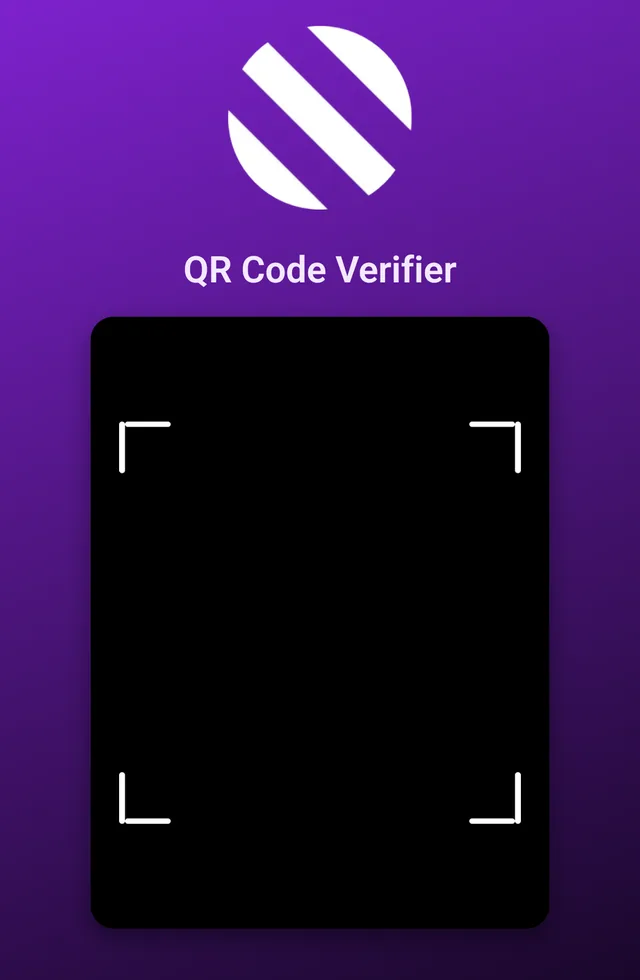
The idea is simple:
- Scan a QR code in a browser using the device's camera.
- Send the decoded data to a backend for verification.
- Determine whether the code points to a trusted domain or something suspicious.
Below is a simple Flask web app that performs these checks, with a camera-based scanner front-end and a Python backend for domain verification.
This approach assumes you already know what a legitimate QR code destination should be, for example, your organization's payment portal or booking platform. The app simply validates that the scanned QR matches those trusted targets, rather than guessing intent or scanning for malware.
Flask Backend: app.py
from flask import Flask, render_template, request, jsonify
from urllib.parse import urlparse
import re
import time

app = Flask(__name__)

# Whitelisted legit domains
WHITELIST = {"example-vendor.com", "partner-portal.net"}

last_scan_time = 0
DEBOUNCE_SECONDS = 1.0

URL_REGEX = re.compile(
    r'^(https?:\/\/)?'
    r'([a-zA-Z0-9.-]+\.[a-zA-Z]{2,})'
    r'(\/[^\s]*)?$'
)

@app.route('/')
def index():
    return render_template('index.html')


@app.route('/verify', methods=['POST'])
def verify_qr():
    global last_scan_time
    data = request.get_json() or {}
    qr_data = (data.get('qr_data') or '').strip()

    if not qr_data:
        return jsonify({'status': 'error', 'reason': 'No QR data received'}), 400

    now = time.time()
    if now - last_scan_time < DEBOUNCE_SECONDS:
        return jsonify({'status': 'pending', 'reason': 'Reading... hold steady for a moment'})
    last_scan_time = now

    qr_data = qr_data.replace('\n', '').replace('\r', '').replace(' ', '')

    if len(qr_data) < 4:
        return jsonify({'status': 'fake', 'reason': 'Unreadable or incomplete QR code'})

    if '.' in qr_data and not qr_data.startswith(('http://', 'https://')):
        qr_data = 'https://' + qr_data

    if not URL_REGEX.match(qr_data):
        return jsonify({'status': 'fake', 'reason': 'Data is not a valid URL or domain', 'raw': qr_data})

    # Parse and clean
    parsed = urlparse(qr_data)
    domain = parsed.netloc.lower()

    if not domain:
        return jsonify({'status': 'fake', 'reason': 'Could not extract a valid domain', 'raw': qr_data})

    domain = re.sub(r'[^a-zA-Z0-9.-]', '', domain)

    if any(domain.endswith(allowed) for allowed in WHITELIST):
        return jsonify({'status': 'legit', 'domain': domain})
    else:
        return jsonify({'status': 'fake', 'domain': domain, 'reason': 'Untrusted or mismatched domain'})


if __name__ == '__main__':
    app.run(host='0.0.0.0', port=5000, debug=False)
Front-End Scanner: templates/index.html
<!DOCTYPE html>
<html lang="en">
<head>
  <meta charset="UTF-8" />
  <meta name="viewport" content="width=device-width, initial-scale=1.0" />
  <title>QR Code Verifier</title>
  <script src="https://unpkg.com/html5-qrcode"></script>
  <style>
    html, body {
      height: 100%;
      width: 100%;
      margin: 0;
      padding: 0;
      background: linear-gradient(160deg, #7e22ce, #000000);
      background-repeat: no-repeat;
      background-attachment: fixed;
      background-size: cover;
      font-family: "Inter", sans-serif;
      color: white;
      display: flex;
      flex-direction: column;
      align-items: center;
      justify-content: flex-start;
    }
    img {
      width: 160px;
      margin-top: 30px;
      margin-bottom: 10px;
    }
    h1 {
      color: #f3e8ff;
      margin-bottom: 20px;
      font-weight: 600;
    }
    #reader {
      width: 400px;
      max-width: 90vw;
      border-radius: 20px;
      box-shadow: 0 8px 20px rgba(0, 0, 0, 0.4);
      overflow: hidden;
    }
    #reader video, #reader div {
      border-radius: 20px !important;
      object-fit: cover;
    }
    #result {
      margin-top: 25px;
      font-size: 1.1em;
      text-align: center;
    }
    .legit { color: #48bb78; font-weight: bold; }
    .fake { color: #f56565; font-weight: bold; }
    #scan-again {
      margin-top: 20px;
      background: #9333ea;
      color: white;
      border: none;
      padding: 10px 24px;
      border-radius: 8px;
      cursor: pointer;
      font-size: 1em;
      transition: 0.2s;
      display: none;
    }
    #scan-again:hover { background: #7e22ce; }
    #permission {
      margin-top: 20px;
      color: #ddd;
      font-size: 0.95em;
      width: 80%;
      text-align: center;
      margin-bottom: 40px;
    }
  </style>
</head>
<body>
  <img src="https://example.com/logo.svg" alt="App Logo">
  <h1>QR Code Verifier</h1>
  <div id="reader"></div>
  <div id="result"></div>
  <button id="scan-again">Scan Another</button>

  <script>
    const resultDiv = document.getElementById("result");
    const scanBtn = document.getElementById("scan-again");
    const html5QrCode = new Html5Qrcode("reader");

    function showResult(status, domain) {
      if (status === "legit") {
        resultDiv.innerHTML = `<p class="legit">Safe QR Code<br>${domain}</p>`;
      } else if (status === "fake") {
        resultDiv.innerHTML = `<p class="fake">Fake or Untrusted QR Code<br>${domain || "Unknown"}</p>`;
      } else {
        resultDiv.innerHTML = `<p>${domain}</p>`;
      }
      scanBtn.style.display = "inline-block";
    }

    function startScanner(cameraId) {
      html5QrCode.start(cameraId, { fps: 10, qrbox: 340 }, onScanSuccess)
      .catch(err => {
        resultDiv.innerHTML = `<p class="fake">Unable to access camera: ${err}</p>`;
      });
    }

    function onScanSuccess(decodedText) {
      html5QrCode.stop().then(() => {
        fetch("/verify", {
          method: "POST",
          headers: { "Content-Type": "application/json" },
          body: JSON.stringify({ qr_data: decodedText })
        })
        .then(res => res.json())
        .then(data => showResult(data.status, data.domain || data.reason))
        .catch(() => showResult("error", "Network error"));
      });
    }

    Html5Qrcode.getCameras().then(devices => {
      if (devices && devices.length) {
        const backCam = devices.find(c => /back|rear|environment/i.test(c.label)) || devices[0];
        startScanner(backCam.id);
      } else {
        resultDiv.innerHTML = `<p>No cameras found.</p>`;
      }
    }).catch(err => {
      resultDiv.innerHTML = `<p>Camera access denied or not available: ${err}</p>`;
    });

    scanBtn.addEventListener("click", () => {
      resultDiv.innerHTML = "";
      scanBtn.style.display = "none";
      Html5Qrcode.getCameras().then(devices => {
        if (devices && devices.length) {
          const backCam = devices.find(c => /back|rear|environment/i.test(c.label)) || devices[0];
          startScanner(backCam.id);
        }
      });
    });
  </script>
</body>
</html>
Containerizing for Production
Dockerfile
FROM python:3.11-slim

WORKDIR /app

COPY requirements.txt .
RUN pip install --no-cache-dir -r requirements.txt

COPY . .

EXPOSE 5000

CMD ["gunicorn", "-w", "4", "-b", "0.0.0.0:5000", "app:app"]
requirements.txt
flask==3.0.3
gunicorn==23.0.0
🧱 Building and Running the Container
# Build the container
docker build -t qr-verifier .

# Run it
docker run -d -p 5000:5000 --name qr-verifier qr-verifier
Then open http://localhost:5000 in your browser and start scanning. This should be deployed behind a reverse proxy as most mobile browsers won't allow the unsecure site to access the camera.
While this is not meant to replace advanced scanning systems but to serve as a fast, user-friendly verification layer that empowers users to double-check before scanning blindly. The same approach can scale: integrate with company whitelists, automate incident reporting, or even log suspicious scans for analysis.