As many good stories begin, I bought a Google Pixel Watch 2 on eBay. The listing was New - Opened, so "may show signs of having previously been unpacked". I purchased this for the sole purpose of using it for NFC payments as Google's Tap-to-Pay does not work on GrapheneOS.
Then I powered it on:
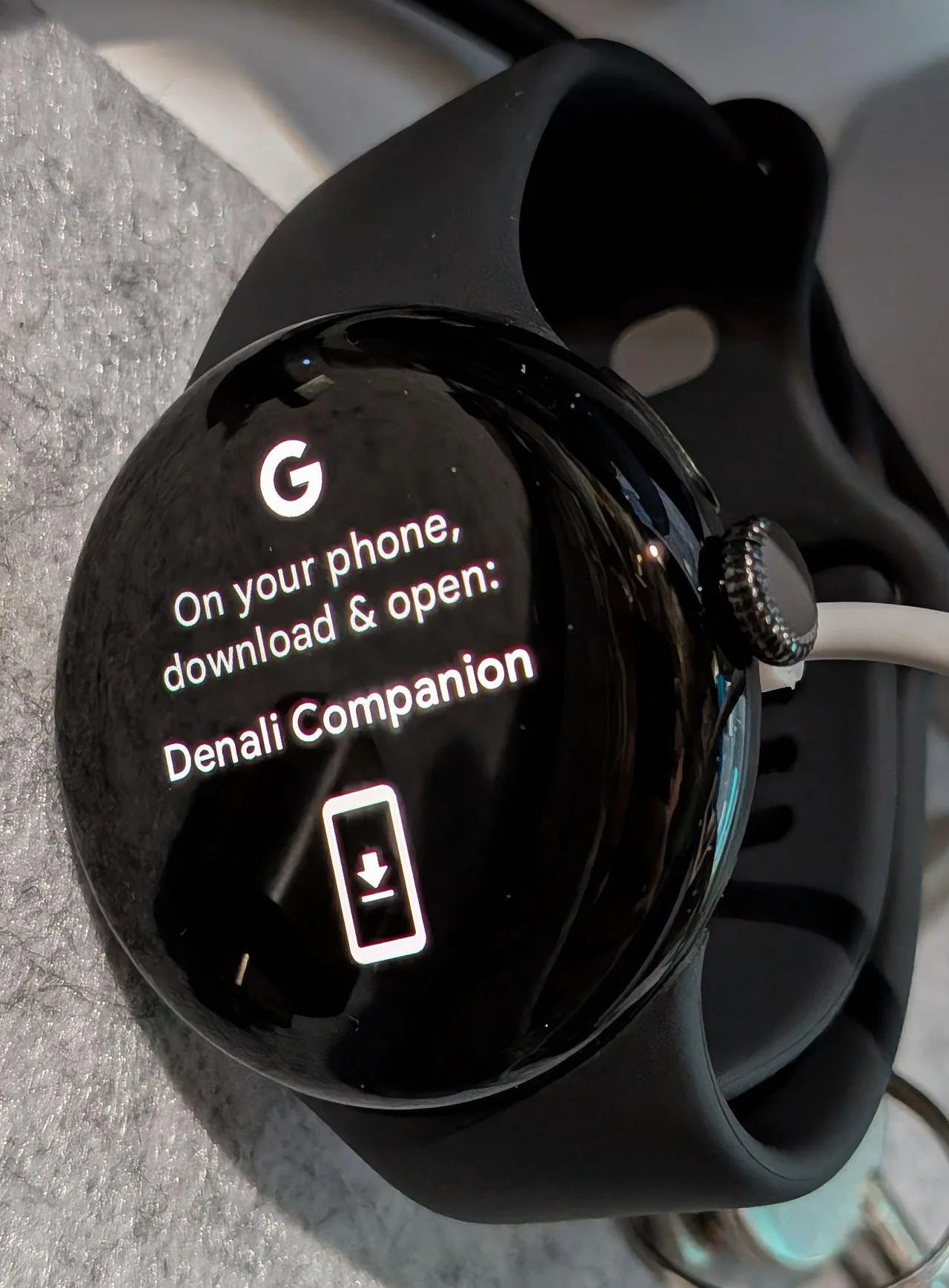 "Download the Denali Companion App"
My first thought was counterfeit, as I'd never heard of this app before. Denali isn't a name Google uses anywhere in its consumer-facing Pixel Watch branding. No "Denali" app on the Play Store either. To be clear, nothing in the eBay listing mentioned anything about this.
Down the rabbit hole
As said above my first assumption was that this was a clone, probably a fake Pixel Watch running generic Chinese smartwatch firmware. It wouldn't be the first time to see that happen with eBay listings. But the hardware itself checked out, it felt like a Pixel Watch and had the correct weight.
Then I found a Reddit thread in r/PixelWatch that had a years-old comment:
"The Denali app is for updating Made by Google demo devices. When I used to work at a mobile carrier store, the reps used the Denali app to update the demo devices including Pixel phones, Smart hubs and the Pixel Watch."
After long-pressing the crown, you can get into settings to check out the build info:
- Stuck on an old security patch with no updates available (mine was on the July 2023 patch, build
TWD6.230602.015.A4) - A locked-down Settings app - The majority of the settings you'd expect to see are removed. You can toggle the brightness, reset the watch and get into About, but the developer options were locked down and could not be enabled.
In other words, this wasn't a fake watch, it was a real Google retail demo unit.
Factory Reset & Trying (and failing) to make it work
I went ahead and factory reset it with the "Disconnect and reset" option from the watch's own Settings, but that did not fix it. A local wipe just leads you back to the same first-boot screen, asking for the Denali app again.
I then tried pairing it with the original Pixel Watch app:
- GrapheneOS + Aurora Store: installed the Pixel Watch app via Aurora, so no Google account tied to the phone. Pairing itself worked over Bluetooth, but it failed to complete, throwing a generic "Can't connect, reset your watch to factory settings and try again" error.
- GrapheneOS + Play Store version of the app: same failure.
- Stock Android (a Nothing Phone): Pairing went further this time, got as far as selecting a Google account and signing in, health features enabled, but then hit the wall when trying to add contactless payments:
"This watch can't be set up to pay contactless. Your watch doesn't meet contactless payment security standards. It may be rooted or running uncertified software."
So at this point I knew the demo-lock state fails Google's SafetyNet/Play Integrity-style attestation, which Wallet requires. Everything else about the watch can technically function, but payment requires the device to be in a certified state.
Getting into Developer Options
Finishing pairing without setting up NFC payments actually unlocked the Settings app properly. Once through setup, I could get to Settings > System > About > Versions > Build Number and tap it seven times to enable Developer Options. On second thought, I'm not entirely sure whether Developer Options were locked because it was a demo unit or because the watch hadn't been fully set up yet.
From there: Settings > Developer Options > enable OEM unlocking and ADB debugging
Flashing it with a clean firmware
With OEM unlock and ADB debugging on, I used Google's own browser-based flashing tool at flash.android.com to wipe the demo firmware entirely and reflash retail firmware.
Steps:
- Go to flash.android.com in Chrome.
- Plug the watch in via USB and make sure the cable actually supports USB data, not just charging.
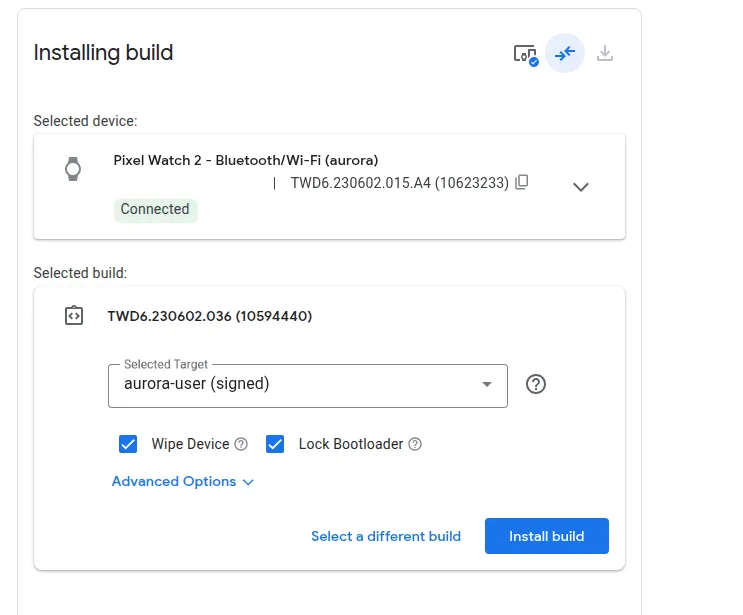
- Select the latest firmware for the watch, in my case
TWD6.230602.036. - Allow the ADB debugging prompt on the watch itself. Don't let the watch screen lock during this process as locking retriggers the debugging authorization prompt and breaks the flow.
- Once connected, select Wipe Device and Lock Bootloader, accept the terms.
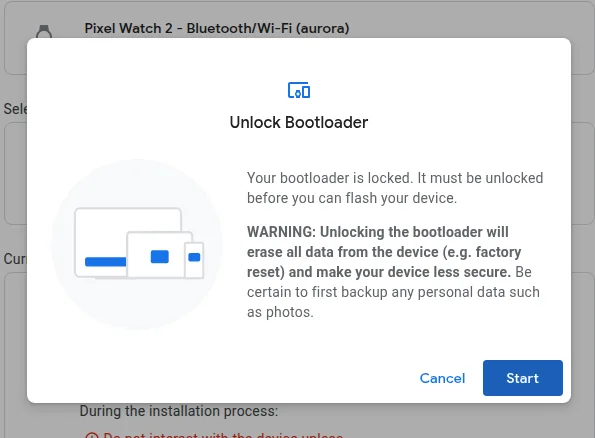
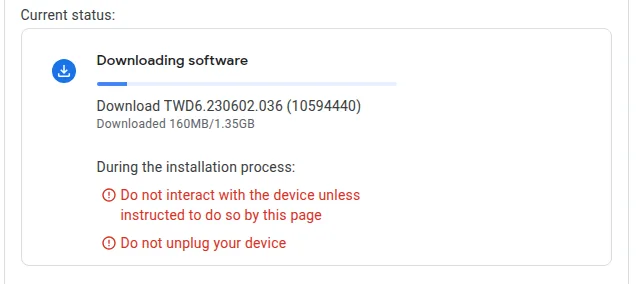
- When prompted to unlock the bootloader: on the watch, navigate with the side button and confirm Unlock Bootloader with the crown. Flashing starts here, don't touch or move the watch during this step.
- It will eventually reboot into a screen warning that device software "can't be checked for corruption". This is expected, since the bootloader is open at this point. Leave it alone and let the browser tool finish flashing.
- It reboots again and prompts to relock the bootloader. Click Start in the browser, then on the watch navigate down and select Lock Bootloader with the crown.
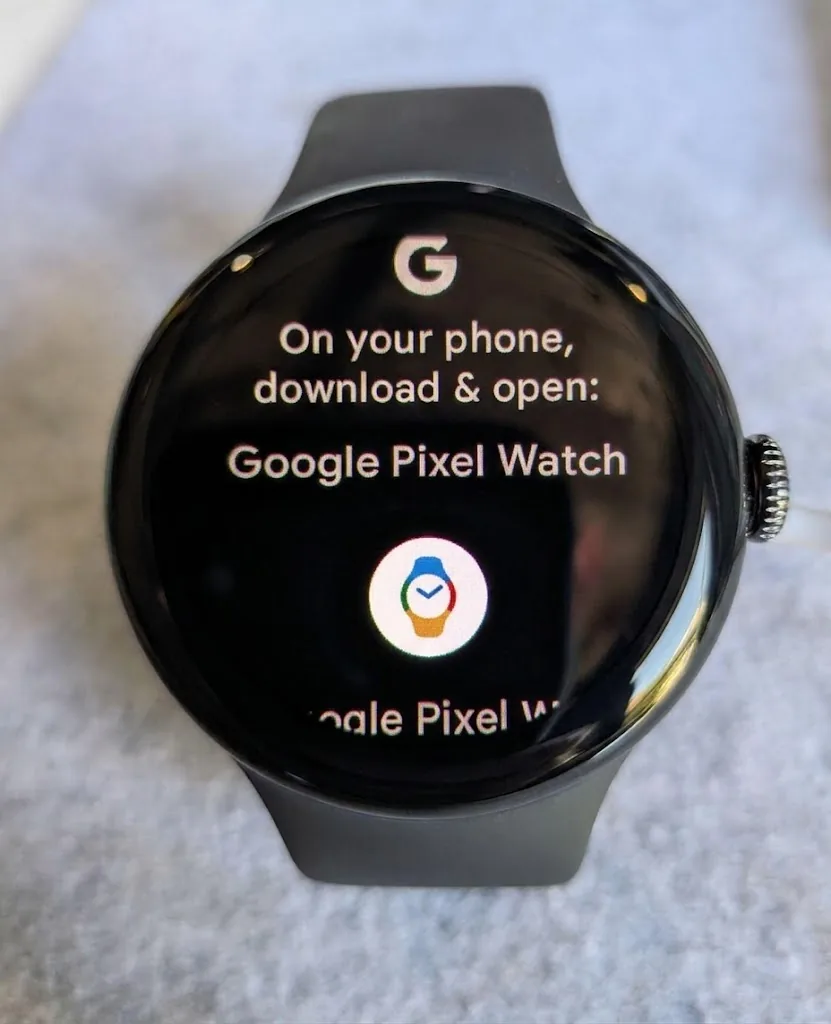
So, fresh firmware, demo mode gone, no more Denali prompt. The watch boots into the normal Pixel Watch app pairing flow like any retail unit would.
At the end I also managed to pair it with GrapheneOS and get my card on it via Wallet, turns out Google Play Integrity needed Nearby Devices access.
If you've ended up here searching "Denali Companion app Pixel Watch"
Your options are:
- Return it: If you bought it recently, this is probably the easiest path, unless it's from somewhere like FB Marketplace, where you don't have the same buyer protection.
- Ask Google Support, if you have proof of purchase. Some people on Reddit said they got a replacement unit.
- Flash it yourself, following the process above, but do note that flashing can go awry and you could end up with a bricked device.