I wrote about Meshtastic's off-the-grid communication network last year and recently discovered something more ambitious called Reticulum Network.
Where Meshtastic is a complete, opinionated solution built on LoRa radio, Reticulum is something different. It's a cryptographic networking protocol, like TCP/IP, but designed for low bandwidth, unreliable, infrastructure-free environments. The main difference is that Reticulum is not tied to a single protocol and can run over:
- LoRa radio
- Packet radio
- WiFi and TCP/IP
- Serial cables
- Bluetooth
- Basically anything that can move bytes
This makes it a true transport-agnostic mesh network. One Reticulum node can bridge multiple interfaces simultaneously. For example, a Raspberry Pi with a LoRa module attached can sit between your home network and a LoRa mesh, routing packets between the two protocols.
How Reticulum Works
Cryptographic Addressing: In Reticulum, your address is derived from your public key. There is no registry or authority that assigns addresses, and no way to spoof one without the corresponding private key. This means identity and encryption are the same thing.
Automatic Mesh Routing: Reticulum nodes periodically announce what destinations they can reach. When you want to send a packet, your node builds a path from these announcements without you having to configure anything.
Delay Tolerant Networking: If a destination isn't currently reachable, nodes can hold messages and forward them when a path appears. This is called store-and-forward, your message will get there eventually, even if the destination is offline now.
End-to-End Encryption by Default: Reticulum encrypts everything at the protocol level and there is no unencrypted mode. Every packet is encrypted using the recipient's public key before it leaves your node.
The Ecosystem
As said before, Reticulum is a protocol, not an app. On top of Reticulum you'd use one of many apps:
- LXMF: a message format built on Reticulum, similar to email. Asynchronous, store-and-forward, encrypted.
- Nomad Network: a decentralised messaging and social platform running on LXMF/Reticulum, CLI based.
- Sideband: a mobile app (Android/Linux) for LXMF messaging over Reticulum.
- RNode: firmware for ESP32 + LoRa hardware.
Standing Up a Node on Raspberry Pi
I have a spare Pi 4 that I turned into a permanent Reticulum node, bridging my home network and my existing LoRa hardware.
What you need:
- Raspberry Pi 4 (any RAM, 2GB is fine)
- Your existing LoRa hardware if you have it, or just TCP/IP peering to start
Install Reticulum:
pip install rns
That's it. Reticulum is a Python package, so it doesn't need anything else beyond pip.
Add it to PATH:
echo 'export PATH="$HOME/.local/bin:$PATH"' >> ~/.bashrc
source ~/.bashrc
First run:
rnsd
On first run Reticulum generates your cryptographic identity and creates a default config at ~/.reticulum/config. It will start with a single TCP/IP interface by default.
Check your address:
# Generate your identity
rnid -g ~/.reticulum/my_identity

# Print your identity info
rnid -p -i ~/.reticulum/my_identity
This outputs your Reticulum address, as a hash of your public key. This is your permanent identity on the network.
Connecting to a Testnet
Before adding any local hardware, peer with the public Reticulum testnet to verify everything is working:
Edit ~/.reticulum/config and add:
[[noDNS1]]
  type = TCPClientInterface
  enabled = yes
  target_host = 202.61.243.41
  target_port = 4965
Restart rnsd and within a few seconds you'll start seeing announcements from nodes on the public network.
pkill rnsd; sleep 1 && rnsd & sleep 4 && rnstatus
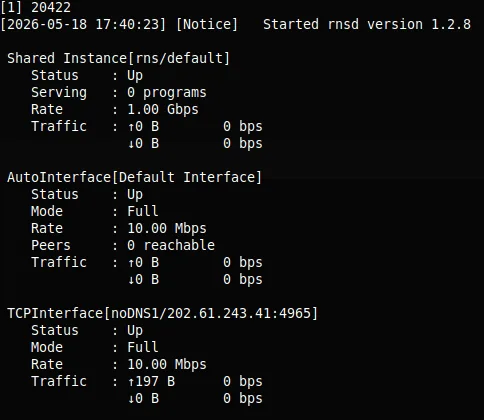
The interface is up
To see traffic on the interface, run rnpath -t:
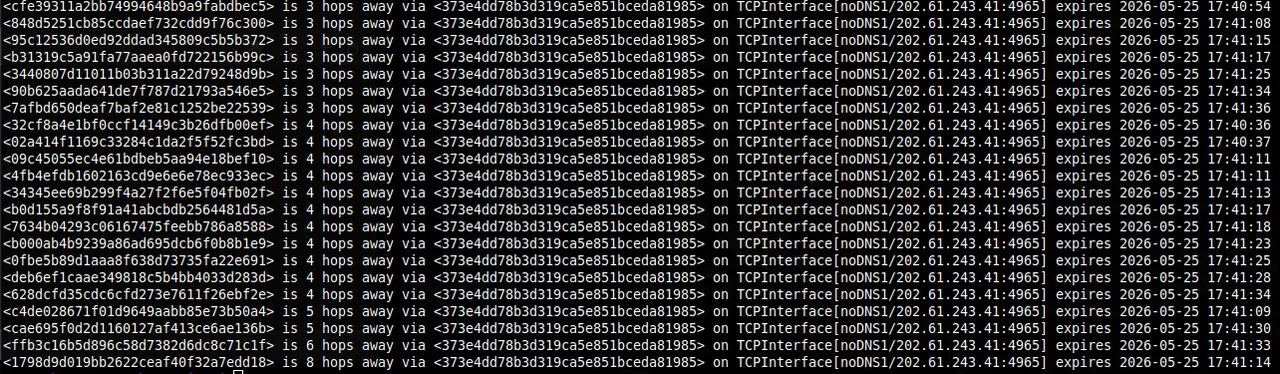
22 nodes discovered, ranging from 3 to 8 hops away
Now set it up as a service:
sudo nano /etc/systemd/system/reticulum.service
[Unit]
Description=Reticulum Network Stack
After=network.target

[Service]
Type=simple
User=<your_username>
ExecStart=/home/<your_username>/.local/bin/rnsd
Restart=always
RestartSec=5

[Install]
WantedBy=multi-user.target
Then:
sudo systemctl enable reticulum
sudo systemctl start reticulum
sudo systemctl status reticulum
Adding LoRa
If you have a LoRa module attached, you need RNode firmware on it first. For an ESP32-based board:
pip install rnodeconf
rnodeconf /dev/ttyUSB0 --autoinstall
Then add the interface to your Reticulum config:
[[RNode LoRa]]
  type = RNodeInterface
  enabled = yes
  port = /dev/ttyUSB0
  frequency = 868000000
  bandwidth = 125000
  txpower = 7
  spreadingfactor = 7
  codingrate = 5
Adjust frequency for your region (868MHz for Europe, 915MHz for US.
Installing Sideband on Android
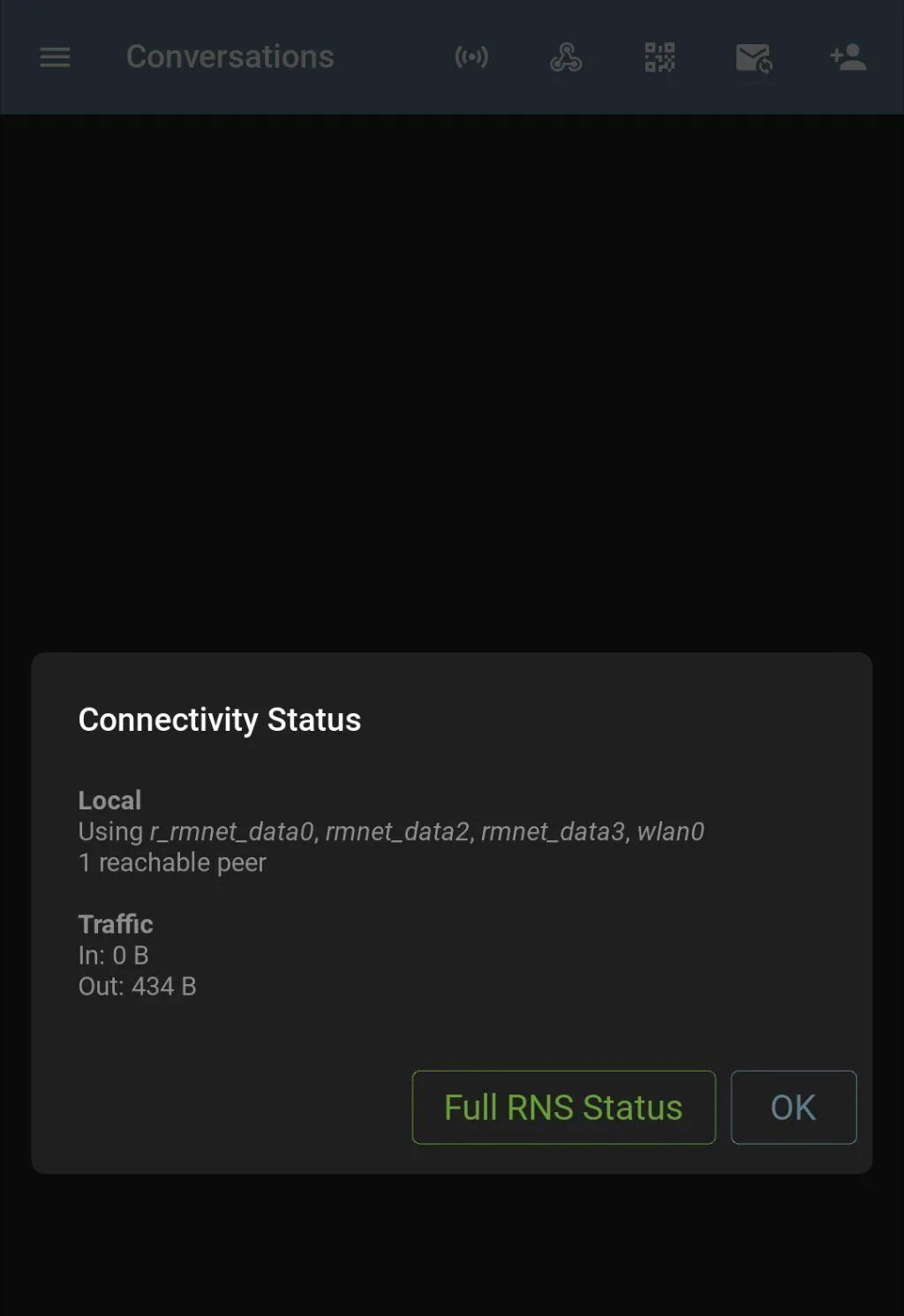
The Sideband APK is available here. Once installed, configure it to connect to your Pi node over TCP/IP on your local network. Your Pi is now acting as a gateway, Sideband connects to it, and through it reaches the wider Reticulum network.
Closing Note
Reticulum occupies an interesting space, it's more complex than Meshtastic but far more flexible. Running it alongside my existing LoRa setup means I now have a proper cryptographic mesh that works over multiple transports, with store-and-forward messaging that doesn't require both parties to be online simultaneously.
The public testnet means you can experiment without any radio hardware at all. But the real value is when you start bridging interfaces, eg. a Pi at home connecting your LoRa mesh to the wider network, routing packets without any central authority involved.
The project is largely the work of one developer, Mark Qvist, which is both impressive and worth keeping in mind for long term reliance.